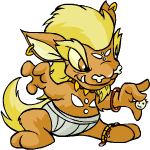
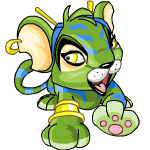
What can Kacheek Wear?  

Posted by kreai in

Yvonne, I hope this help. As I do not have a Kacheek I don't have picture to show what these clothings would look like on a Kacheek. But here's a list of clothing a Kacheek can wear.


By Paintbrush:
(these clothings comes with the Paintbrush when you paint your pet with that paintbrush)

Baby Paintbrush:
Baby Kacheek Diapers, Baby Kacheek Bib
PhotobucketPhotobucket

Pirate Paintbrush:
Pirate Kacheek Bandana, Pirate Kacheek Tunic, Pirate Kacheek Earrings
PhotobucketPhotobucketPhotobucket

Mystery Island Paintbrush:
Mystery Island Kacheek Sandals, Mystery Island Kacheek Necklace, Mystery Island Kacheek Flower Clip, Mystery Island Kacheek Earrings

PhotobucketPhotobucketPhotobucketPhotobucket

Lost Desert Paintbrush:
Lost Desert Kacheek Tail Rings, Lost Desert Kacheek Shorts, Lost Desert Kacheek Hair Piece, Lost Desert Kacheek Collar, Lost Desert Kacheek Bracers
PhotobucketPhotobucketPhotobucketPhotobucketPhotobucket

Christmas Paintbrush:
Christmas Kacheek Scarf, Christmas Kacheek Hat, Christmas Kacheek Gloves

PhotobucketPhotobucketPhotobucket

Halloween Paintbrush:
Halloween Kacheek Shirt, Halloween Kacheek Screws

PhotobucketPhotobucket

Disco Kacheek Glasses

Photobucket

Robot Kacheek Cranium

Photobucket


Accessories:

Bucket of Sand
Pandaphant Luck Doll
Colourful Building Blocks
Roo Island Mobile
Red Pandaphant Luck Doll
Techo Plastic Figures
Techo Kite
Janitor Bucket
Anubis Fountain
Skeith Pencil Case
Clockwork Techo
Techo Torch
Modern Art
Pile of Dung
Campfire
Limited Edition Fair Maiden QUIGUKI Doll
Ficus Tree
Origami Uniocto
Origami Spyder
Origami Rock
Origami Kadoatie
Chia Clown Punching Bag
Chia Clown Ball


Multi - Species Clothings:
(All pets can wear this)


Hat:
Brown Velvet Bow Hat
Pretty Pink Flower Hat
Edna Costume Hat
Black Derby
Winter Blechy Hat
Daring Adventurer Hat
Squid Hat
Aluminium Foil Hat
Brown Woolen Hat
Pumpkin Lid Hat
Sparkly Pink Neopets 8th Birthday Hat
Red and Gold Neopets 8th Birthday Hat
Blue and Gold Neopets 8th Birthday Hat
Black and White Neopets 8th Birthday Hat
Veiled Autumn Hat
Slushie Slinger Drinking Cap
Woolen Cap
Symol Hat

Photobucket

Mask:
Usukicon Y9 Magical Hair Usuki Mask
Meowclops Mask
Esophagor Mask
Pretty Flower Mask
Spooky Skull Mask
Jack-O-Lantern Mask
Gobbler Mask
Plushie Eyrie Mask


Wings:
Fire Faerie Wings
Shell Faerie Wings
Earth Faerie Wings
Dark Faerie Wings


Necklace:
Yellow Neopets 8th Birthday Bead Necklace
Purple Neopets 8th Birthday Bead Necklace
Green Neopets 8th Birthday Bead Necklace
Blue Neopets 8th Birthday Bead Necklace


School Girl:
School Girl Hat
School Girl Jumper
School Girl Shirt
School Girl Shoes
School Girl Skirt


Puppet:
Ruki Puppet
Ona Puppet
Pandaphant Puppet
Baby Wocky Puppet


Purse:
Red Purse
Pink Knit Purse
Flower Purse
Purse of Despair


Glassess:

Heart Shaped Sunglasses
Censor Bar Sunglasses
Novelty Glasses


Other:

Gormball Necklace
Artist Smock
Brown Woolen Scarf
Woolen Scarf
Altador Cup Fan Jersey
Jack-O-Lantern Pail
Evil Twin Goatee
Wax Lips
Green Hissi Float Ring
Sparkler
Mini Marshmallows on a Stick
Hot Dog Mascot with Mustard
Hot Dog on a Stick
Gobbler Costume
Ghostkerscarf
Wellington Boots
Kreludan Grundo Slippers
Explorer Backpack
Smarmy Monocle
Shenkuu-Inspired Paper Parasol
Ultra Fashionable Potato Sack
Spectacles of Perception
Alien Aisha Ears
Purple Feather Boa
Usukicon Y9 Attendee Badge


(will try to upload more images later)

Newbie Info - Neopia Central  

Posted by kreai in

If you are new to Neopet and want to know what to do, this is for you. Recently I got 3 Neopets books. One of these books is The Ultimate Gield Guide - Discover Neopia.

Photobucket


(Note: I will not be putting any link in these posts. A challenge to the newbie to find the places on you own. But if you have problem, let me know.)


Neopia Central

This is the bustling metropolis, the hub of Neopian life. It's filled with a variety of shops and many colorful citizens. It is the perfect place to find anything and everything you'll need for your adventures.

First thing you need to check is The Neopian Times. The Times is Neopia's weekly newspaper and an essential tool for any explorer. With it's exciting articles, editorials, and comics, it's the perfect way to learn about the different lands of Neopia.

The Neopian Times keeps you up-to-date on current events.


What To Know:

This is where you will find Neopian Bazaar, The Neopian Plaza, and the Marketplace. Each area has its own unique set of shops. Nearly anything you can possibly imagine is sold here!

You can opne up a bank account at the Neopian National Bank, buy stamps at the Neopian Post Office, purchase a remedy at the Neopian Pharmacy.


Where to Go:

1. Art Centre

Neopia's Art and Literature centre is located beneath the busy streets of the main town in a series of dark and ancient tunnels known as catacombs.

(No one knows how the catacombs came to exit, though it's rumored that they were once a burial place for some of Neopia's more famous historical figures like Solvang the Butter Grarrl and Thomas a Crumpet.)

Artists came here to participate in poetry and storytelling contests and art gallery. Here, you will be able to find The Neopian Times.


2. The Bookshop

PhotobucketThe bookshop is easy to spot - it's shaped like a giant book! The friendly Nimmo shopkeeper stocks all kinds of titles. Reading improves one's intelligence. The Neopian Book Award is given to those Neopians who've read the most books!


3. Freebies

a. Money Tree

PhotobucketNeopians like to leave donations beneath its leafy green branches. All of the items left here are absolutely free! Many of the items found here have been donated because they serve little purpose. But every once in a while certain wandering ghosts will leave money at the base of the tree. You have to be quite quick to scoop up such donations.


b. The Second-Hand Shoppe

You can get 2nd hand pet's customizing items. It works the same way as the money tree. Try your luck and be quick. Just click on the items you fancy and keep your finger cross that you will get it.


4. The Auction House

Photobucket Located right next to the neopian bank, the Auction House holds hundreds of auctions a day. you can bid on all kinds of items put up for auction by different Neopians. At the Wizard Shop you can only find items costing less than 99,999np. Anything items costing more than 99,999np, you will have to go to the Auction House to find the items.


5. Shops

a. Food - The Bakery, The Food Shop, Hubert's Hot Dogs, Health Food, Fresh Smoothies, Pizzaroo, The Chocolate Factory.

b. Toy - The Plushie Palace, The Toy Shop, Plushie Shop, Usuki Land,

c. Sickness - Pharmacy, Hospital

d. Neohome Shops - Fine Furniture, Gardening Supplies

e. Grooming Shops - Grooming Parlour, Unis Clothing

f. Collectable Shops - Collectable Card Shop, Post Office

g. Pet Shop - Petpet Shop, Neolodge, The Pound

h. Other - Gift Galore, Kadotery, Wishing Well, School Supplies, Music Shop, Wizard Shop


6. Battle

a. Defenders HQ
- Defender of Neopia Series 1
- Defender of Neopia Series 2

b. Weapon - Defence Magic, Battle Magic, The Magic Shop

The Magic Shop
PhotobucketThis shop is run by a wizard named Kauvara. She took over thebusiness when the old shopkeeper left under a cloud of suspicion. Rumor has it that he was selling fake items without the least bit of magic in them! Kauvara, ont he other hand, has spent years studying the art of magical brewing.


7. Avatar to Collect

a. Alien Vending Machine.

Avatar:
Photobucket

How to get the avatar:
Use a nerkmid in the Vending Machine.


Photobucket
Basic Golden Nerkmid~200k NP

Photobucket
Normal Golden Nerkmid~200k NP

Photobucket
Magical Golden Nerkmid~205k NP


b. Soup Faerie

Not all faeries in Neopia are friendly but the Soup Faerie is the friendlist faerie you'll ever meet. She lives in the Marketplace and spends her days minding a giant cauldron of delicious soup! From her kitchen she offeres free soup to those Neopians who are less fortunate than others. Using her magical abilities, she knows exactly how much money you're hiding (no more than 2000 np). That way she can save her soup for those who are truly in need.

Avatar:
Photobucket

How to get the Avatar:
Randomly awarded while feeding your pet at the Soup Kitchen


c. Uni Clothing

Avatar:
Photobucket

How to get the Avatar:
Groom your pet with any grooming item.


d. - The Chocolate Factory

Photobucket

Avatar:
Photobucket

How to get the Avatar:
Purchase any rarity 90 or higher item


e. Collectable Card Shop

- Fire Paw

Avatar:
Photobucket

How to get the Avatar:
Put the collectable card Fire Paw into your Neodeck.


- Niten Hiroru

Avatar:
Photobucket

How to get the Avatar:
View Nitren Hiroru's Neopedia entry while having the Niten Hiroru collectable card in your inventory.

School Faire  

Posted by kreai in

I found this today at the Main Page - School Faire.

Photobucket


You will find :


Fun Download

Photobucket

This includes: Buddy Icons, MSN/Buddy Icons and Background. This isn't new. Guess they just move it here.


Feed Your Pet

Photobucket

This is something new.

Just click on your pet and click on the food you want to feed your pet with and click "Feed Your Pet a Special Snack" button at the bottom.

Photobucket


Play Games

Photobucket

Here you will be playing some of the School Faire Games. It's existing game that has been recategorized. The games include:

Maths Nightmare, Imperial Exam, Potato Counter, Extreme Potato Counter, Typing Terror, Kacheekers, Roodoku, Gadgadsgame, Attack of the Gummy Dice, Goparokko, Chemistry for Beginners, Kou-Jong, Kiko Match II, The Search for Princess Lunara, Kacheek Seek.


Send Greeting Cards

Photobucket

Neohome - Beta - Part 4  

Posted by kreai in

Thinks I found out.

1. You can put your neopet into the Room.

2. You can make items float in the air.

Photobucket

That's all I have right now.
Will be back to update this post as I find out more.
If you have anything new, let me know.


3. You can buy items from the regular neoshops from different world. Buy those with this symbol at the furniture.

Photobucket


It will look like this at your "Inventory".

Photobucket

And you can put it into the Shed.

Photobucket

However, something is not right. Even though you have put into the shed, it doesn't appear on the new neohome page. Maybe it's a glitch. This is still very new. So there will be a lot of glitch here and there.

Neohome - Beta - Part 3  

Posted by kreai in

For this part 3, I will be showing the furniture available in the Neoshop.

Flooring:

Photobucket


Simple Wood Floor- 500 NP
Basic Red Floor Tiles - 500 NP
Basic Orange Floor Tiles - 500 NP
Basic Yellow Floor Tiles - 500 NP
Basic Green Floor Tiles - 500 NP
Basic Blue Floor Tiles - 500 NP
Basic purple Floor Tiles - 500 NP
Basic Black Floor Tiles - 400 NP
Basic White Floor Tiles - 400 NP


Seating:

Photobucket


Simple Yellow Chair -500 NP
Simple Yellow Sofa -650 NP
Simple Blue Chair - 500 NP
Simple Purple Chair - 500 NP
Simple Purple Sofa - 650 NP
Simple Blue Sofa - 650 NP
Simple Green Chair - 500 NP
Simple Green Sofa - 650 NP
Simple Red Chair - 500 NP
Simple Red Sofa - 650 NP


Table:

Photobucket


Simple Yellow Table - 600 NP
Simple Blue Side Table - 400 NP
Simple Purple Side Table - 400 NP
Simple Purple Table - 600 NP
Simple Blue Table - 600 NP
Simple Green Side Table - 400 NP
Simple Red Side Table - 400 NP
Simple Green Table - 600 NP
Simple Yellow Side Table - 400 NP
Simple Red Table - 600 NP


Wallpaper:

Photobucket


Blue Meridell Wall Paint - 400 NP
Blue Terror Mountain Wall Paint - 400 NP
Yellow Brightvale Wall Paint -: 400 NP
Purple Darigan Citadel Wall Paint - 400 NP
Pink Faerieland Wall Paint - 400 NP
Orange Haunted Woods Wall Paint - 400 NP
Green Kiko Lake Wall Paint - 400 NP
Red Krawk Island Wall Paint - 400 NP


Bed:

Photobucket


Simple Yellow Bed - 700 NP
Simple Purple Bed - 700 NP
Simple Blue Bed - 700 NP
Simple Green Bed - 700 NP S
Simple Red Bed - 700 NP


Decoration:

Photobucket


Simple Blue Rug - 250 NP
Simple Purple Rug - 250 NP
Simple Green Rug - 250 NP
Simple Red Rug - 250 NP
Simple Yellow Rug - 250 NP


Lighting:

Photobucket


Simple Blue Lamp - 300 NP
Simple Purple Lamp - 300 NP
Simple Green Lamp - 300 NP
Simple Red Lamp -300 NP
Simple Yellow Lamp - 300 NP


Source: Neohome Tutorial

Neohome - Beta - Part 2  

Posted by kreai in

A. How to Customize your Neohome:


1. Add Furniture

Click and drag the item from the Storage Shed window into your Neohome.


2. Change Floors or Walls

Click on the material in the Photobucket section of your Storage Shed, drag the paint roller to outline the area you'd like to change, and release your mouse button to apply the material to your Neohome.

3. Preview

To see how your Neohome will look to visitors, click Photobucket


4. Save Changes

Click Photobucket


5. Get More Items

Click Photobucket to start shopping.


B. How to Move Around in My Neohome?

1. 4 Navigation Buttons

Click on any of the 4 navigation buttons Photobucket inside the Neohome window.

If you'd like to centre your Neohome, click on the circle between the arrows.


2. Rotate the Entire Room

To rotate the entire room, click on either of these buttons Photobucket.


3. Closer Look

If you'd like to get a closer look at your Neohome, click on either of thesePhotobucket .

There are five levels of zoom magnification to choose from.


TIP: You can only rotate the view of the interior of your Neohome, not the exterior.


C. How to View and Sort Items?


1. Sort Items

To sort your various Neohome items, you can either choose the category you want (for example, if you want to see all of your lamps, click the Photobucket in the Storage Shed window), or you can search by keywords using the Search function. For example, if you have a collection of Mystery Island items and you want to find all of them, you'd just type the keywords "Mystery" and "Island" in the "Search" field and voilĂ !


2. Show All
You can also see all of your Neohome items by clicking "Show All" and scrolling through them in the Storage Shed window.

TIP: Rollover the item to get a quick description of it.


D. How do I place items?

Placing items with your mouse is easy.
All you have to do is click on the item in the Storage Shed window and then drag it into your workspace.

Once you have put the item in your Neohome, a small menu will appear that allows you to move the item up, down, or rotate it.

Keep in mind, though, that complete Neohomes, Neohome additions, and Neopets cannot be rotated.

TIP: You must be in Edit Mode when adding furniture to your Neohome. Click on Photobucket to enter Edit Mode.


E. How do I remove items?

To remove an item from your Neohome, simply click on it and drag it back into your Storage Shed.


TIP: Clicking on any item will adjust your Storage Shed list to reflect its state. When an item is usable, it will be in full colour, but when it is not usable in your current view mode, the item will appear greyed out. Items already in use are outlined in blue in your Storage Shed.


F. How do I preview my Neohome?

You can preview your Neohome to see it just as visitors will by clicking on the Photobucket!


G. How do I save my work?

Click on the Photobucket to keep the changes that you've made.


TIP: The Photobucket button is only available after you have modified something in your Neohome.


H. How can I protect my work from others revising it?

The new Neohomes application includes the ability to set PIN protection (a four-digit code that you can select). When PIN protection is turned on, this number must be entered or you cannot save your Neohome.

TIP: Turning on PIN Protection also automatically protects your Storage Shed as well as your Neohome.


I. How do I get more items?

You can find more items for your Neohome in shops around Neopia. For a quick link to shops that carry items for your Neohome, click on Photobucket to be taken to the Shopping Hub. You can also visit the Neohome shops in the NC Mall for premium home furniture and designs for your walls and floors!


J. Others

You can move the house and place it at your ideal location within the yellow box.

Just click on the house and a yellow box will appear. Move it and place it where you want it.


Photobucket


Source: Neohome Tutorial

Neohome - Beta - Part 1  

Posted by kreai in

This is release in the news today. Neohome has a revamp.

When you go to your Neohome, you will be greeted with a new page.


Photobucket

Photobucket


To get your own Neohome:


1. Click the "Create A New Neohome" button.


And you have to decide where you want to build your neohome.


Photobucket


2. Decide where you want to build your neohome.


Preview a Neohome by clicking one of the lands listed...

Photobucket


Here's a preview:

Photobucket


Altador

Photobucket

Brightvale

Photobucket

Darigan

Photobucket

Faerieland

Photobucket

Haunted Wood

Photobucket

Kiko Lake

Photobucket

Krawk Island

Photobucket

Kreludor

Photobucket

Lost Desert

Photobucket

Lutari Island

Photobucket

Maraqua

Photobucket

Meridell

Photobucket

Mystery Island

Photobucket

Neopia Central

Photobucket

Roo Island

Photobucket

Shenkuu

Photobucket

Terror Mountain

Photobucket

Tyrannia

Photobucket

Virtupet


When you like what you see, click "Create This Neohome" to make your choice.
Choose carefully, because once you've decided you can't go back!

Photobucket


Photobucket


3. Now that you've created a Neohome, it's time to add your own personal touch.


a. Shopping

Visit Shops to buy items for your Neohome using the links above.


b. Starter Pack

Select "Go to My Neohome" and begin decorating with your Starter Pack items.

Photobucket

Photobucket


Yap, you get a Starter Pack.


In the older version, you have to pay to buy land, buy items to make furniture. Now, creating a home is free and you get a starter pack. The rest of the item, you buy with Neopoints or Neocash.


You can even check out other people's Neohomes for inspiration through their user profiles or the Neohomes Spotlight.


4. What happened to all the furniture that I have in my old home?

Don't panic. It's still there. Just click on the "Classic Neohome". Your home is still there.

Photobucket


5. Neoshop

Photobucket

The items in the neoshop are pretty boring right now.

Photobucket

There are 7 catergories of furnitures:
- Seating
- Tables
- Beds
- Decoration
- Lighting
- Flooring
- Wallpapers

(will post on how these ugly items look like in the new home later)


Source: Neohome Tutorial